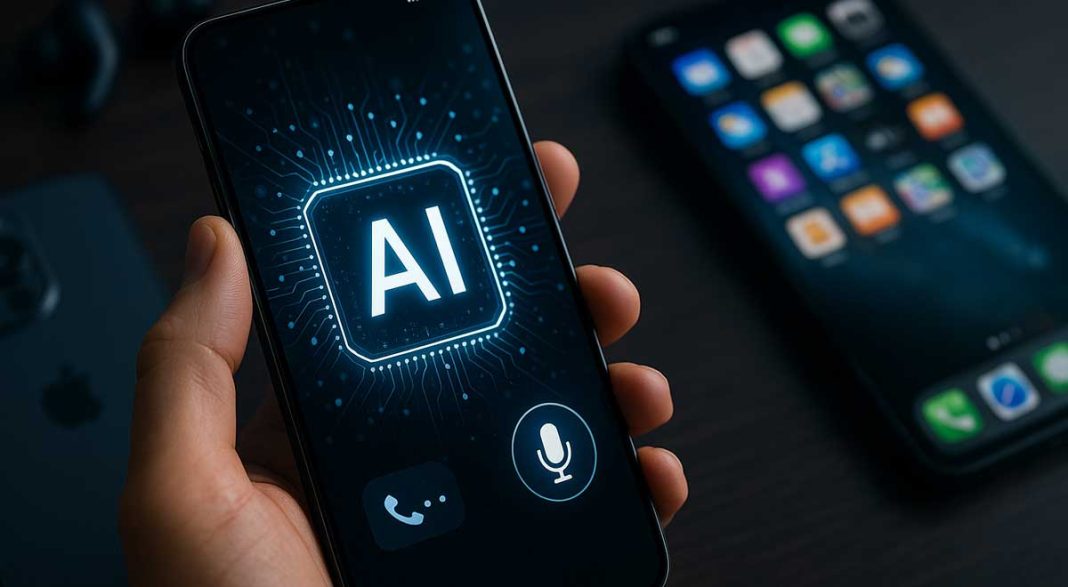
AI in Your Pocket: How Smartphones Got Smarter Than You Think
Smartphones were already the MVP of our lives, but throw AI into the mix and… wow. This isn’t your dad’s flip phone (unless your dad is also me and he kept it for “emergencies” next to the leftover Chinese takeout in the fridge). Today, I’m pulling back the curtain on how artificial intelligence is quietly, stubbornly, and sometimes hilariously, transforming your smartphone forever. We’ll go deep, have a laugh, and maybe, just maybe, you’ll look at your iPhone or Android in a whole new way by the end of this post.
Key Takeaways:
- AI is already powering your phone’s camera, voice assistant, and battery without you even noticing.
- Features like real-time translation and photo magic are just the tip of the iceberg for mobile AI.
- On-device AI is making privacy a headline feature—finally, some secrets stay on your phone.
- Personalization is now so good, your phone knows your habits almost better than you do (yikes).
- AI is quietly changing mobile security, gaming, accessibility, and how you interact with your digital world.
- What feels new today? In five years, it’ll be as normal as scrolling through memes at 2 a.m.
The AI Takeover (But Not the SkyNet Kind)
First, let’s get one thing straight: AI on your smartphone isn’t trying to destroy humanity. It’s just trying to get you to your favorite pizza place with one less wrong turn. Remember when “smart” meant you could play Snake or send a blurry text from the grocery store? Now, my iPhone recognizes my face, filters out my double chin in selfies (thank you, AI gods), and suggests I call my son James just because I usually pester him on Sundays.
But what’s really going on inside your smartphone? Let’s dig in.
“AI-driven features are now responsible for nearly 80% of smartphone user interactions, from photo enhancement to predictive text.” – IDC, Mobile AI Trends Report 2024
Your Phone’s Secret Superpowers (And You Didn’t Even Notice)
Cameras That Outsmart Photographers
I’m not kidding. Ten years ago, I carried a Canon around my neck like a badge of geek honor. Today? I just whip out my phone, let it do its HDR/portrait/night mode voodoo, and—bam—the photo’s better than anything I could’ve shot in manual mode. AI isn’t just adjusting brightness or contrast anymore; it’s removing photobombers, sharpening your cat’s fur, and guessing whether that’s a pizza or a calzone on your plate (it’s always pizza for me, honestly).
“Thanks to AI, smartphone cameras are now capable of identifying over 1,000 different scenes and subjects in real time.” – DxOMark Labs
Voice Assistants: From Joke to Genius
Remember when Siri used to misunderstand everything except for “What’s the weather?” Those days are gone. With generative AI models (think GPT or Google Gemini), your phone’s assistant can now summarize your emails, crack a joke, or translate your late-night cravings into Mandarin—accurately. Try getting that out of Clippy.
Smarter Battery & Performance
Back in the day, battery life was a tragic comedy. Now? AI learns your habits (like doomscrolling Reddit at midnight), reallocates resources, and keeps your phone humming along. Android and iOS both use AI to predict when to close background apps or dial down power-hungry processes—meaning less time looking for outlets at airports, more time doing… well, whatever it is we all do on our phones.
Steve’s Tech Tips
Pro tip: If your phone starts predicting your coffee order and your mood, don’t panic. It’s not magic—it’s machine learning. Keep your OS updated, and you’ll get smarter features with each release.
And yes, you can turn off creepy tracking in your settings. If you’re not sure where to find the option, just ask your assistant—she probably already knows what you’re looking for anyway.
AI Features You’re Already Using (But Might Not Know)
| Feature | What AI Does Behind the Scenes | Why It Matters |
|---|---|---|
| Camera Enhancements | Scene detection, night mode, facial smoothing | Professional-quality photos—no skills needed |
| Voice Assistants | Natural language understanding, smart suggestions | Hands-free everything; makes multitasking easy |
| Live Translation | Real-time speech-to-text and translation | Talk to anyone, anywhere—language barrier, gone |
| Spam Call Blocking | Identifies scams using voice/speech patterns | Fewer robocalls and phishing attempts |
| Keyboard Prediction | Context-aware word prediction | Less typing, more accuracy |
| Battery Management | Learns usage, optimizes charging cycles | Longer battery life, smarter power use |
The Big Shift: On-Device AI (A Privacy Win?)
Remember when all your data was beamed to some mystery cloud to be processed? (I know, makes you want to check your tinfoil hat stash, right?) Well, the latest trend is on-device AI. That means a lot of the heavy lifting—like recognizing your face or filtering spam calls—happens right on your phone, not in some server farm in the Arctic.
This is a win for privacy, and a big leap for people (like me) who remember when “cloud computing” meant saving to a floppy disk and sticking it in your pocket.
“Apple’s Neural Engine now performs over 11 trillion operations per second right on the iPhone, powering features like Face ID, Photos, and more—all without sending your data to the cloud.” – Apple, WWDC 2024 Keynote
AI’s Impact on Personalization: Your Digital Doppelgänger
Your phone’s AI is like that barista who remembers your name, your usual, and how you like your latte… except now it’s your playlists, suggested articles, photo memories, and reminders to call your mom. It’s a little bit creepy, a little bit amazing, and totally addicting.
Real Talk: Sometimes It Gets Weird
Once, my phone reminded me to order pizza on a Friday (yes, again)—and my son James asked if I was actually just talking to Siri more than him. He’s not wrong. That’s the thing with AI-powered phones: the more you use them, the more they know you. I’m not saying your phone will become your new best friend, but… if it starts recommending Hamburger Helper recipes, you’ll know who to blame.
Beyond the Basics: Accessibility, Security, and More
Accessibility
AI makes phones usable for millions of people who couldn’t use them before. Voice controls, live captions, image descriptions for the visually impaired—these aren’t “nice-to-haves.” They’re changing lives.
Security
From facial recognition that unlocks your phone (and not your evil twin’s) to detecting suspicious app activity, AI is the new bouncer for your digital nightclub. You might not notice it, but it’s there, keeping things (mostly) safe.
| Year | AI Feature | What It Looked Like Then | How It Works Now |
|---|---|---|---|
| 2014 | Voice Assistant | Basic commands, limited jokes | Conversational, contextual |
| 2016 | Photo Filters | Basic editing, static effects | Auto-enhance, live backgrounds |
| 2018 | Face Unlock | Simple image match | 3D FaceID, anti-spoofing |
| 2020 | Keyboard Prediction | Simple next-word guessing | Understands context, full sentences |
| 2022 | Spam Call Blocking | Manual lists, caller ID | AI detects patterns, blocks in real time |
| 2024 | On-Device AI | Most features in cloud | Local processing, improved privacy |
Getting to the Bottom of It
- AI on your smartphone is mostly invisible, and that’s the point. If you notice it, it’s probably broken—or it’s suggesting pineapple on pizza again. (Not happening.)
- The more you use it, the smarter it gets. That means your habits (good and bad) are now part of your phone’s personality profile.
- Privacy is finally getting a seat at the table. On-device processing is a game changer for those tired of companies knowing a little too much.
- It’s not perfect. AI isn’t magic—it’s math. And sometimes, it’ll mess up. Laugh, reboot, move on.
The Top 10 Ways AI Is Transforming Your Smartphone
- Making your photos Instagram-ready without you even trying.
- Turning voice commands into real conversations (and not just “Call Mom”).
- Predicting your texts, calendar, and dinner plans—sometimes too accurately.
- Personalizing everything from news feeds to playlists with frightening precision.
- Blocking spam calls and messages so you can live in peace.
- Giving accessibility features superpowers—helping millions access tech.
- Protecting your phone with smarter face/fingerprint recognition.
- Running real-time translation so you can chat globally (without resorting to hand gestures).
- Learning your usage to maximize battery life (no more red at 2 p.m.).
- Powering new kinds of mobile games, AR, and creative tools for everyone.
FAQs 🙋🏻♂️ 🙋🏽♀️
- Q: Is AI on my smartphone safe?
A: For the most part, yes. Most companies are moving AI features onto the device for privacy. Still, check your settings, and remember: nothing’s ever 100% hack-proof. - Q: Does AI drain my phone battery?
A: Actually, AI often saves battery by learning your usage and optimizing background activity. - Q: Can my phone really “learn” my habits?
A: Yup. It uses your app usage, location, and even typing style to predict what you want next. - Q: Do all phones have AI features now?
A: Almost all modern smartphones (think 2020 and newer) come packed with AI-powered features. - Q: How can I turn off AI suggestions or features?
A: Dig into your phone’s settings—every major brand has a privacy section. You can limit what’s tracked or predicted. - Q: Can AI on my phone understand multiple languages?
A: Absolutely. Real-time translation is one of AI’s biggest wins in mobile. - Q: Is my personal data at risk with AI features?
A: On-device AI helps, but always use common sense. Don’t share sensitive info via unknown apps. - Q: Will AI replace human jobs?
A: Not from your phone alone—but mobile AI is changing how people work, for sure. - Q: Are AI cameras really better than regular cameras?
A: In most lighting, yes. But nothing replaces a pro with real gear (and patience). - Q: Do AI features cost extra?
A: Most are built-in, but some advanced tools (like AI image editing) may require subscriptions. - Q: How does AI help with security?
A: By learning patterns and flagging anything weird, from spam calls to face unlock attempts. - Q: Can I make my own AI tools on my phone?
A: If you’re a dev, yes—platforms like Android and iOS are adding more AI APIs every year. - Q: Why does my phone keep suggesting things I never searched for?
A: That’s AI using your app, location, and interaction history to guess what you might want. Sometimes it’s spooky, sometimes handy. - Q: Does AI make my old phone obsolete?
A: Not yet, but it does mean newer phones can do things older ones just can’t. - Q: Is AI the future of smartphones?
A: It’s the now and the future. But don’t worry: it won’t cook your churros… yet.
Would I Buy It Again?
Short answer? Absolutely. Even as a guy who’s owned everything from a Commodore 64 to the latest iPhone, the magic of AI-powered smartphones still surprises me. Would I pay for every new AI feature? Maybe not. But the stuff that works—face unlock, photo magic, spam call killing—is worth it. Just don’t expect your phone to do your taxes. Yet.
And if you’re still using a flip phone, you might want to keep it around as a backup. (Or as a prop for your next retro TikTok. Hey, it could happen.)
And always remember, friends… Just because it’s new doesn’t mean it’s better! til’ next time.